 Ottan
Ottan
Light, Fast, Walk
Morning light, fasting and a walk after meals.
A tiny crew keeps the house running, one room per routine. Start them with your voice, see them on your wrist. No account, no subscription.
Out of the way, until you look
Ottan keeps a few calm daily routines on time for you, then gets out of the way.
-
Hands-free
Say “Start my fast” and put the phone down. Your routines show on the Lock Screen, in widgets and StandBy, and on your Apple Watch. A walk runs in the Dynamic Island.
-
Yours alone
No account, no analytics, no ads. What you record stays on your devices. Pay once, if you want the full history.
-
Kind, not a scoreboard
No streaks to lose and no badges. Your own target sits next to what you did, and missing a day is fine. The crew don’t mind.
One house. Peek into the room that matters now.
Today opens on a strip of rooms, one line for the morning, and a peek into the lit room with its one button. Tap another room and the view glides over.
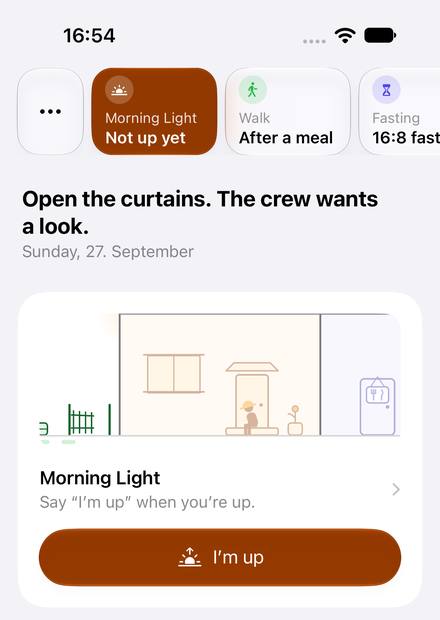
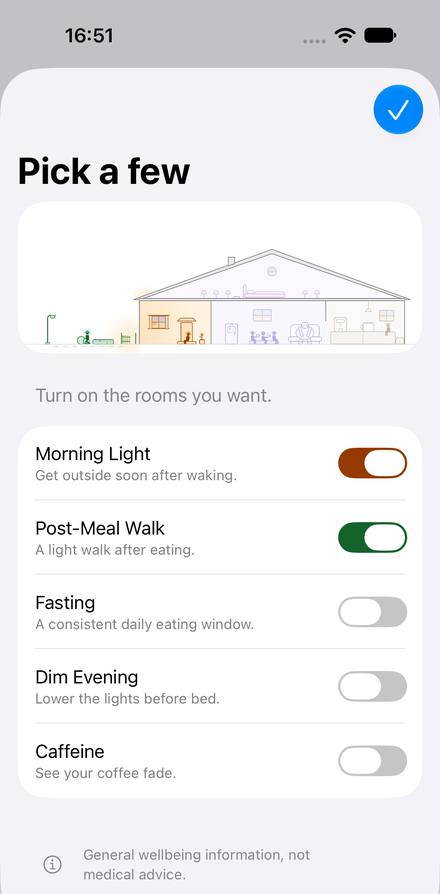
Five routines. Turn on the ones you want.
Each one is optional and has its own room. The app keeps what is commonly suggested apart from what you actually did.
-
The porch
Morning Light
Say “I’m up” and the crew opens the curtains; someone’s already out on the step. Getting outside soon after waking is a commonly suggested habit. The timer keeps count, so you can look at the sky instead.
-
The garden path
Post-Meal Walk
After a meal, start an easy walk from your Watch and a crew member strolls out through the gate with you. No meal to log. A short walk after eating is commonly suggested; how long is up to you.
-
The kitchen
Fasting
Pick a window like 16:8 and start it by voice. The crew do the dishes, raid the pantry and clock off when you reach your goal. Their stage names are jokes about the hours, not readings of your body. Ending early is fine.
-
The attic
Dim Evening
Before your usual bedtime, the crew turn the lamps down one by one. Lower lights and screens put away are commonly suggested for the evening. Say “Good night” when you’re done, and the last lamp goes out.
-
The coffee corner
Caffeine
Pick the drink you had, an espresso or a latte, and that’s it. The crew carry the beans out as the hours pass: a rough estimate from typical values, not a measurement. It shows the latest coffee that still fits your bedtime, and never suggests one.
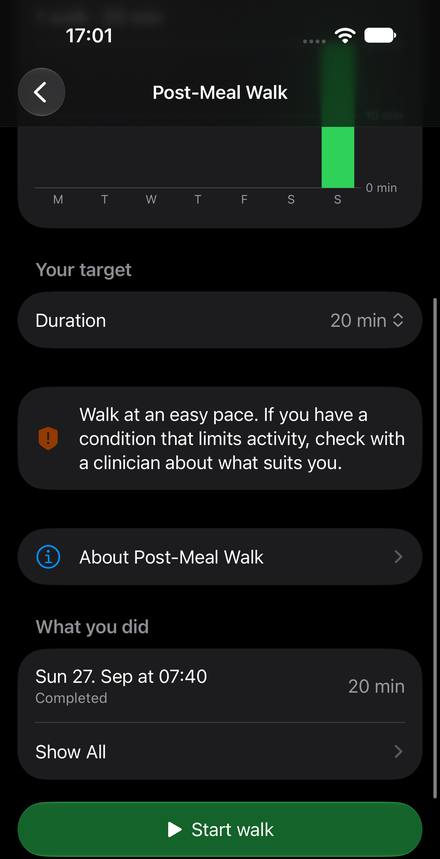
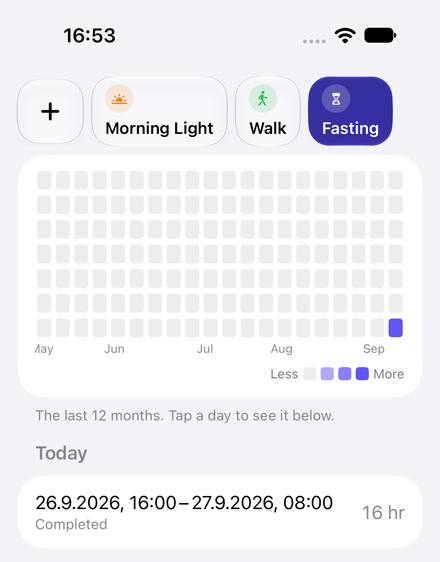
On your wrist, your Lock Screen and your Home Screen
The same room follows you: in a widget, on the Watch, in the Dynamic Island.

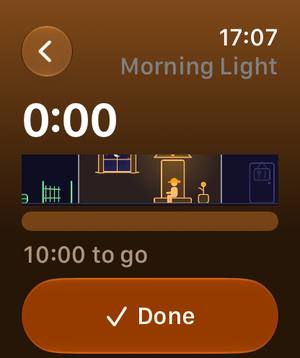
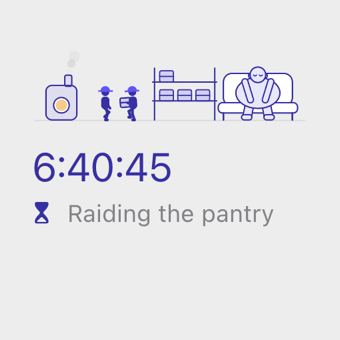
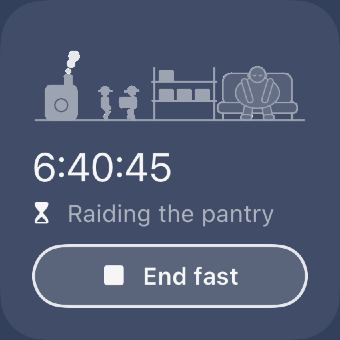
Screenshots show a pre-release build; some wording will change.
Private by design
- What you record stays on your devices: your iPhone and your paired Apple Watch.
- No account to create. No sign-in.
- No analytics, no ads, no tracking.
- The App Store privacy label says “Data Not Collected”.
Read the full privacy policy.
Pay once
Ottan is a free download. Every routine, Siri, widgets, the Watch and your last 30 days of History and Stats are free.
9.99
One optional unlock for older History and Stats, in your local currency. No subscription. Family Sharing is on, so your family can use it too.
Questions
Is this medical advice?
No. Ottan is a wellbeing and habit app. It provides general information, not medical advice, and is not a medical device: it does not diagnose, treat or prevent any condition. Fasting is not suitable for everyone; see the note at the bottom of this page.
What are the rooms?
Each routine has a room in the crew’s house: the porch for Morning Light, the garden path for the walk, the kitchen for fasting, the attic for Dim Evening and the coffee corner for Caffeine. Only the room that matters now is lit. Turn a routine off and its room simply stays dark; nothing is lost.
What is the line at the top of Today?
The Morning line: one short line a day. Most days it is a quote from a public-domain book, credited to its author; on the others it is a line in the crew’s voice, like “The crew saved you a patch of sunlight.” It changes each day. It never tells you what to do.
Do I need an Apple Watch?
No. Everything works on iPhone. With an Apple Watch you can start, end and glance at your routines from your wrist, with the routine’s room on the larger Watches, complications and the Smart Stack.
Does it work with Apple Health?
If you want it to, on iPhone. Both switches are off until you turn them on: Caffeine can save the drinks you log to Apple Health, and Morning Light can suggest a session from the Time in Daylight your Apple Watch measures, for you to save or dismiss. The app asks for Health access only when you turn one on, and never sends Health data anywhere.
Do I need an account? Where is my data?
No account. Everything you record stays on your iPhone and your paired Apple Watch, which keep each other up to date directly. We have no servers and never see your data.
Is there a subscription?
No. The app is free, and one optional purchase unlocks History and Stats older than 30 days. You pay once, and Family Sharing is on.
What happens if I miss a day?
Nothing. There are no streaks to lose, and the crew never look disappointed. You see what you did next to your own target, and you can add a forgotten session later.